
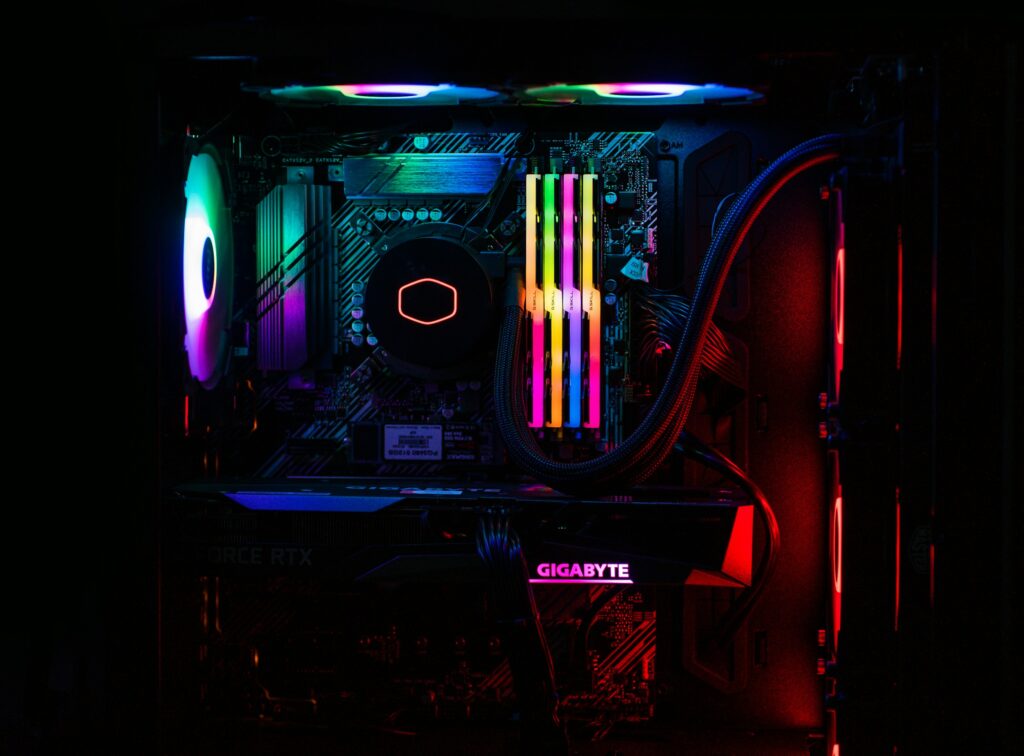
Exceptional cable management is often dismissed as a purely aesthetic pursuit, but its benefits are profoundly practical, affecting the core functionality and longevity of your system. A tangled nest of cables acts as a physical barrier, disrupting the critical airflow paths designed by your case, which leads to higher internal temperatures for your GPU, CPU, and VRMs. This thermal penalty can result in louder fan noise, lower boost clocks, and increased long-term component stress. Furthermore, a disorganized mess makes future upgrades or troubleshooting a frustrating ordeal of tracing and disconnecting wires, whereas a cleanly managed system allows for quick, confident access to any component. The process, therefore, is a foundational step in building a high-performance, maintainable, and professionally finished computer, not merely a final cosmetic touch.
The philosophy of superior cable management begins not during assembly, but in the planning stage, before a single component is installed. Start by studying your case’s layout: identify the grommeted holes behind the motherboard tray, the routing channels, and the tie-down points. Then, plan the main “trunk” routes for your thickest cable bundles—typically the 24-pin motherboard and 8-pin CPU cables—mapping their path from the power supply to their destinations with the least visibility and obstruction. This mental blueprint allows you to install components with routing in mind, such as positioning your power supply with its cable exit facing the management area and running necessary front-panel cables early so they can be bundled neatly behind the tray before the motherboard is fully secured. This proactive approach prevents the need for later disruptive rerouting.
The execution phase relies on a methodical, cable-by-cable process and the right tools. Begin by connecting only the essential cables needed for the system to post, routing each one completely through the back of the case and using Velcro straps or flexible reusable zip-ties to secure them loosely along your planned paths before making final connections. For power supply cables, use a “comb” to align the individual wires within a sleeve into a flat, orderly ribbon, which looks immensely cleaner than a rounded bundle. Take full advantage of your case’s built-in features, such as Velcro anchor points, dedicated SSD mounting plates on the rear that hide SATA cables, and PSU shrouds that conceal the power supply and its excess cable length. Patience is key; this process cannot be rushed.
For builders seeking perfection, investing in custom-sleeved extension cables or full modular replacement cables transforms the build’s aesthetic from clean to breathtaking. Extensions are safer for beginners, as they plug into your existing PSU cables, offering a wide array of colors and materials like parachute cord (paracord) or premium vinyl-sleeved options without compatibility concerns. Full replacement cables are made specifically for your PSU model and connect directly, eliminating the extra bulk of extensions but requiring precise ordering. These custom cables allow for exact length matching, eliminating slack and enabling incredibly tight, artistic runs that showcase your components rather than hiding the wiring. They are the final, definitive tool for achieving a published, gallery-quality build where every detail is intentional.
Ultimately, mastering cable management is about developing a craftsman’s mindset—viewing the case interior as a canvas where both form and function are in harmony. The result is a system that runs cooler and quieter, is a joy to work on, and provides immense personal satisfaction every time you glance through the side panel. It demonstrates a respect for the craft that transcends simple component assembly. While it requires extra time, attention to detail, and perhaps a small investment in tools or custom cables, the payoff is a PC that is not just a tool, but a testament to skill and pride in creation, setting your build apart as a considered and accomplished piece of technical artistry.